You have probably experienced the frustration of stepping away from your computer for five minutes, only to return and see your favorite stock just made a massive move without you. Our team hears this story all the time from new traders. The solution is straightforward: program your trading software to watch the market for you. We are going to walk you through exactly how to set up price, volume, and technical indicator alerts so you never miss a planned entry or exit again.
By the end of this guide, you will know how to configure your platform to do the heavy lifting for you. We will show you the exact steps for setting price and volume alerts across popular platforms. You will learn how to define your technical conditions, choose the right notification methods, and keep your trading plan on track without staring at screens all day.
What Are Price and Volume Alerts and Why Do They Matter?
Bottom Line: Alerts are not a shortcut but a discipline tool. When configured correctly across price, volume, and technical conditions, they keep your trading plan intact without requiring you to stare at screens all day. The 2% risk rule and a defined stop loss still apply every time an alert triggers, because automation handles the watch, not the decision.
Price and volume alerts are automated notifications triggered when an asset hits a specific dollar amount or trading activity level. They matter because they remove the need to watch charts all day long. These alerts protect your capital by instantly notifying you of changing market conditions so you can execute your trading plan objectively.
Key Concept: Think of an alert like a digital tripwire for your trading account. You set the wire at a specific point on the chart. When the stock crosses that line, the alarm sounds. This automation is a fundamental part of a professional trading routine.
The SEC's investor education resources highlight the importance of maintaining discipline and avoiding emotional trading decisions. We teach our members that staring at a screen for eight hours often leads to forced trades. Watching every single tick makes it easy to imagine setups that do not actually exist. By relying on automated notifications, you only look at the chart when your specific criteria are met.
How to Set Up Price Alerts
You can set up price alerts by opening your trading platform, right-clicking on a stock chart, and selecting the alert creation tool. From there, you input your desired target price, choose your notification method, and save the active alert to your monitoring system.
Most modern trading platforms offer three primary types of notifications:
- Simple price alert: Triggers when a stock crosses a specific dollar value.
- Volume alert: Notifies you when an unusually high number of shares are traded.
- Technical indicator alert: Fires when a mathematical formula reaches a specific condition.
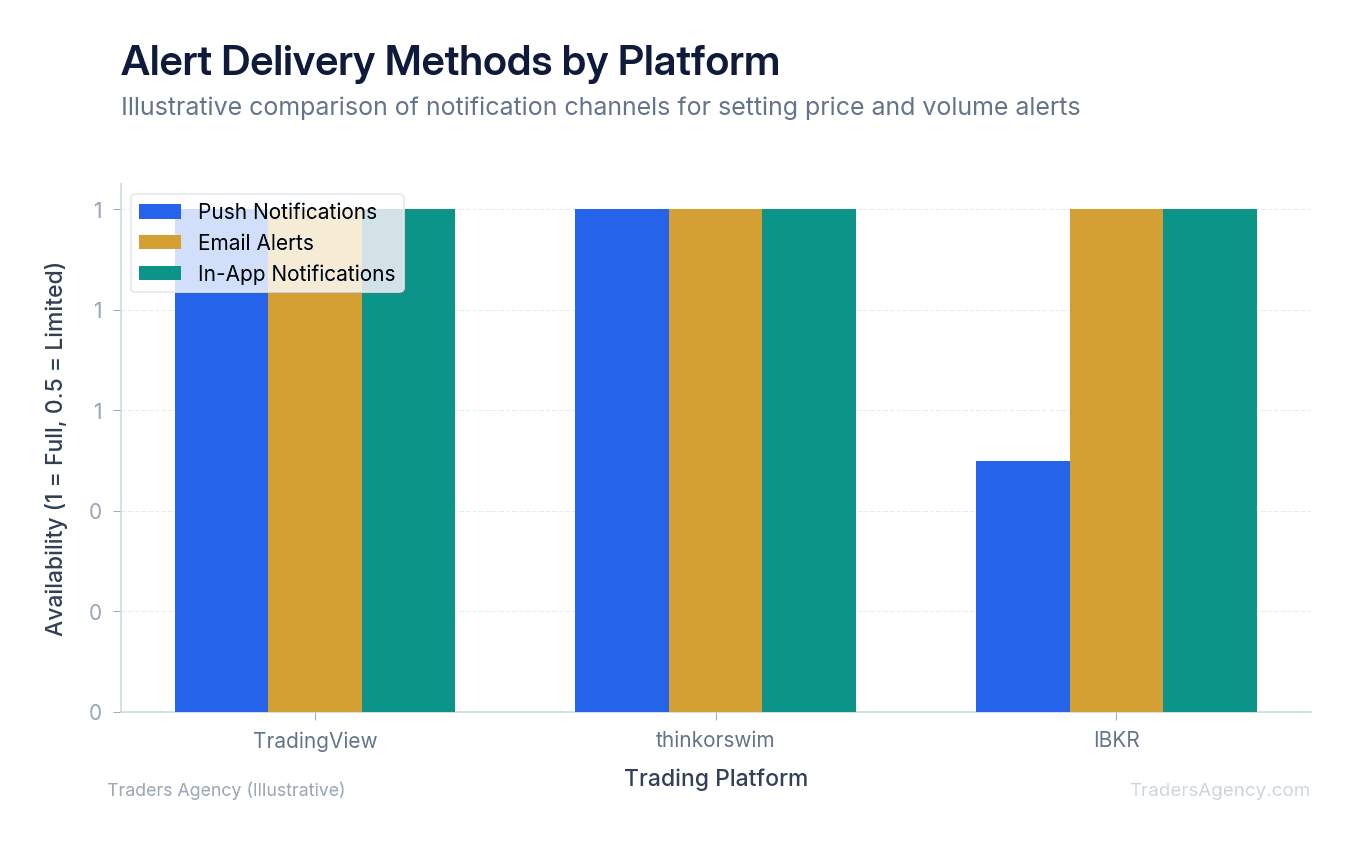
You also need to choose how you receive the message. We prefer to use a combination of delivery methods depending on the urgency of the trade:
| Delivery Method | Best For | Speed |
|---|---|---|
| Push notifications | Immediate action trades | Instant |
| Email alerts | Longer-term setups that do not require instant execution | Seconds to minutes |
| In-app sounds | When you are at your desk but looking at a different monitor | Instant |
Setting Price and Volume Alerts Step by Step
Here is a concrete example using Apple Inc. (AAPL). Assume AAPL is currently trading at $175.50. You have identified a strong support level (a price where buyers historically step in) at $170.00. You want to buy the stock, but only if it drops to that support level.
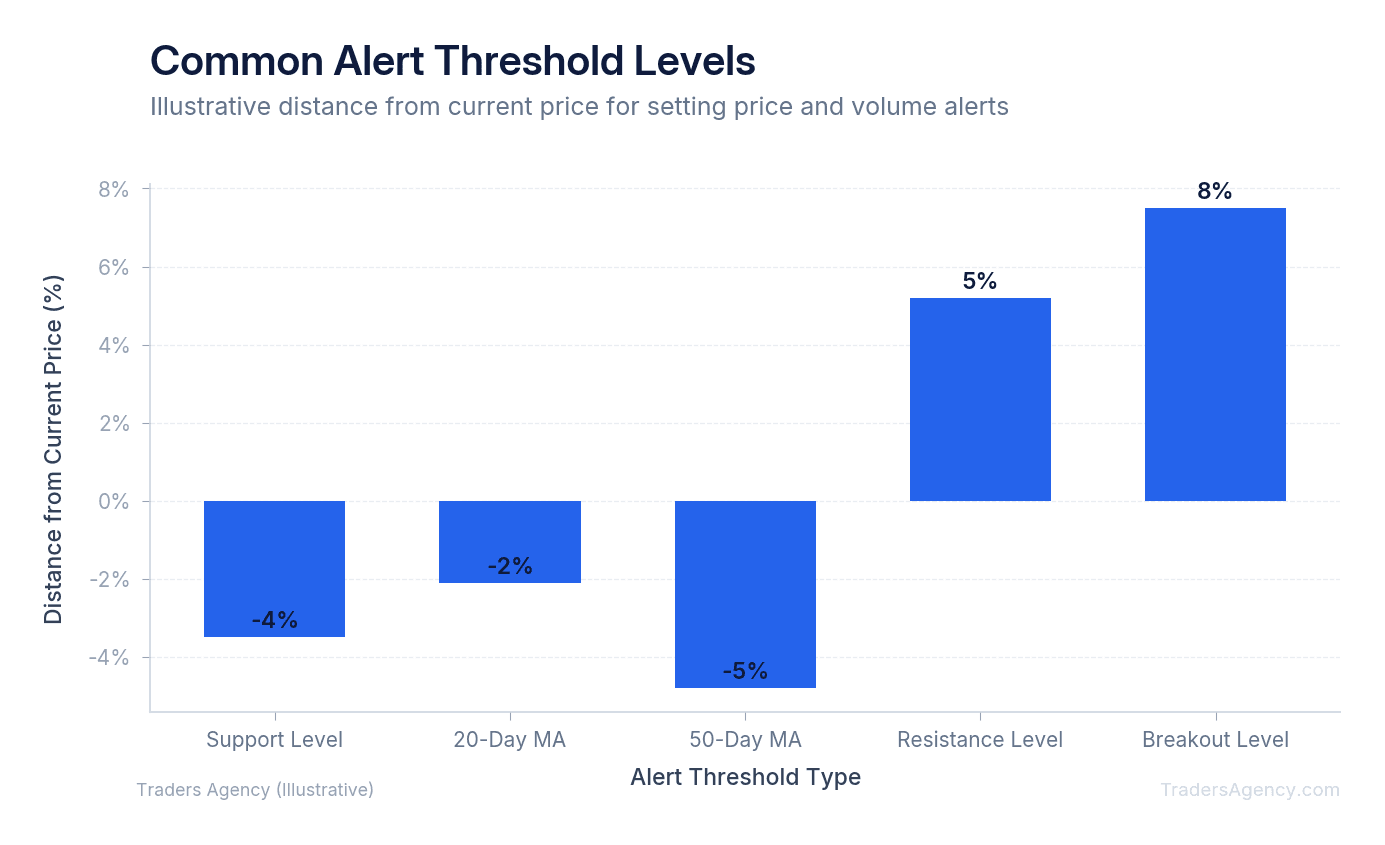
- Identify the Target Threshold: Determine the exact number that invalidates or confirms your idea. We recommend placing your alert slightly above your actual target. For our AAPL example, we set the alert at $170.50. This gives you a $0.50 buffer to open your platform and prepare your order before the stock actually hits your $170.00 buy zone.
- Configure the Trigger Condition: Open your platform (like thinkorswim or IBKR) and select the alert tool. Set the condition to "Mark Price drops at or below" and enter $170.50. You can also add a secondary condition. For example, you might only want the alert to fire if the daily trading volume is greater than 50 million shares.
- Select the Notification Method: Check the boxes for push notification and email. Make sure the alert is set to "Active" and has an expiration date that matches your trading plan. If your setup is only valid for this week, set the alert to expire on Friday at 4:00 PM EST.
- Understand the Potential Outcomes: Once the alert is active, three things can happen. Review the scenario table below so you are prepared for each one.
| Scenario | What Happens | Your Action |
|---|---|---|
| Best Case | Stock drops to $170.50, your phone buzzes | Log in and buy at your desired $170.00 level |
| Worst Case | Stock drops violently past your level on bad news | Review the chart and cancel the trade, saving your capital |
| Most Likely Case | Stock chops around for days | Peacefully ignore it until the alert finally triggers |
Want expert trading insights delivered daily?
Join thousands of traders who rely on Traders Agency for market analysis and trade ideas.
Join Traders AgencyHow Do You Set a Volume Alert in TradingView?
To set a volume alert in TradingView, open the alert menu and select volume as your condition. Choose "greater than" as the trigger, input a specific share count like 1 million shares, and select whether the alert should trigger once or every time the condition is met.
Volume is simply the number of shares traded during a specific period. We pay close attention to volume because it reveals institutional participation. When large banks and hedge funds buy a stock, they leave a footprint in the form of massive volume spikes.
Here is how we teach our members to use this feature. Imagine you are watching Ford (F), which trades an average of 40 million shares per day. You want to know if big buyers are stepping in early. Follow these steps:
- Open TradingView and pull up the F chart on the 15-minute timeframe.
- Click the alert icon (the clock with a plus sign) in the top toolbar.
- Set the condition to Volume, "Greater Than," and enter 10,000,000 shares.
- Choose your notification preferences (push, email, or both).
- Save the alert. If F trades 10 million shares in a single 15-minute candle, your phone will notify you of the unusual activity.
Key Concept: Volume confirms price action. A stock breaking through resistance on heavy volume is far more meaningful than the same breakout on thin volume. Setting volume alerts helps you filter out weak moves and focus on high-conviction opportunities.
How Do You Set Technical Indicator Alerts as a Beginner?
Technical indicators are mathematical calculations based on a stock's historical price and volume. They help traders identify trends and potential reversal points. Instead of just setting an alert for a specific dollar amount, you can set alerts based on these indicator values.
The most common indicator for beginners is the Relative Strength Index (RSI). The RSI measures the speed and change of price movements on a scale from 0 to 100. Traditionally, an RSI below 30 is considered oversold, meaning the stock might be due for a bounce. An RSI above 70 is considered overbought.
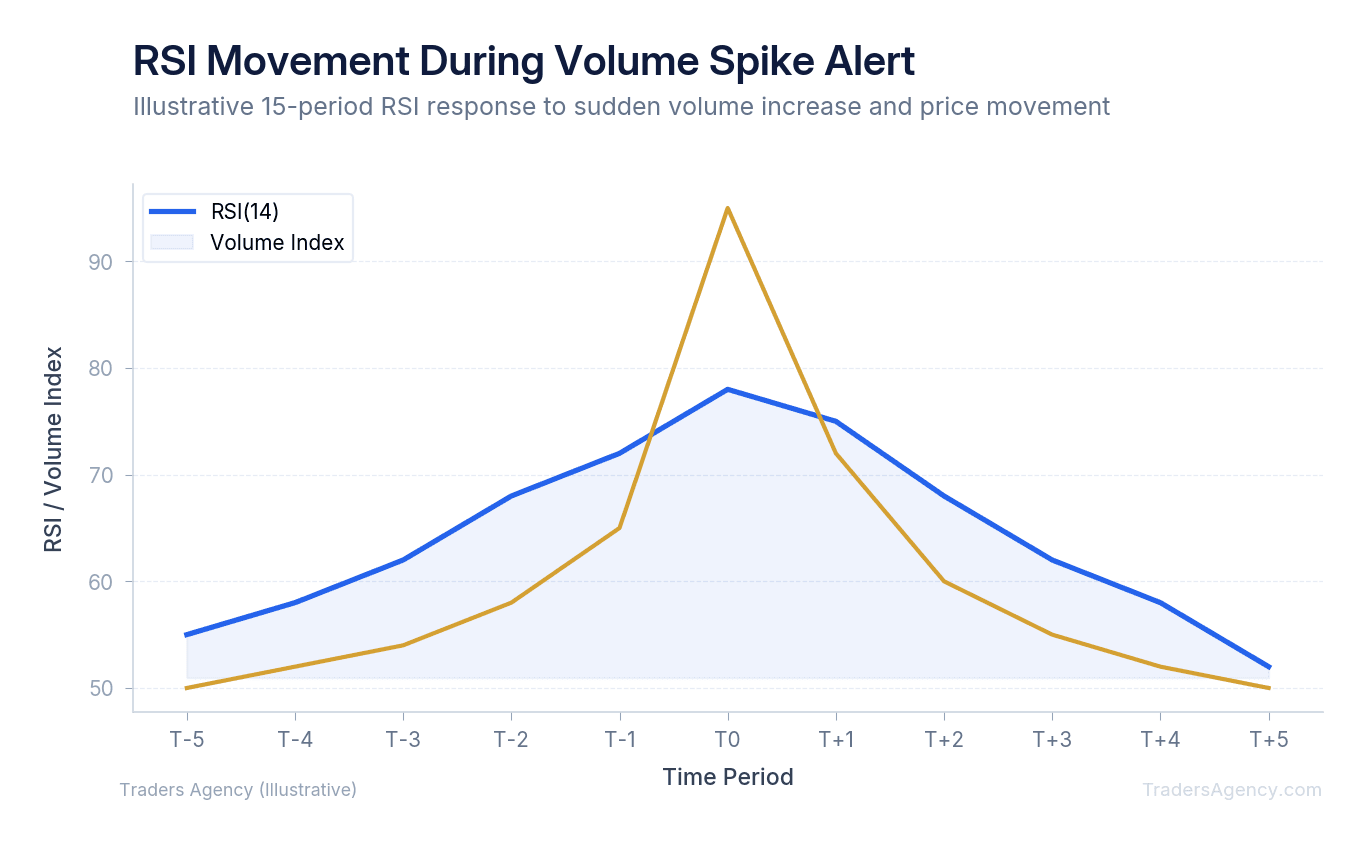
Here is a practical application using Tesla (TSLA). You notice that every time TSLA hits an RSI of 30 on the daily chart, it tends to rally. Instead of checking the RSI value every day, you can create a technical alert:
- Open the alert creation tool on your platform.
- Select RSI as your condition and choose "Crossing Down."
- Enter the value 30 as your threshold.
- Set your notification method to email or push notification.
- Save and activate the alert.
When the indicator drops below that threshold, you receive a notification. This can be useful when combined with options strategies. For example, if you plan to sell a cash-secured put on TSLA at a $180 strike, you might set an RSI alert to notify you when the stock reaches oversold territory. At that point, put premiums tend to be richer because of elevated implied volatility and proximity to lower strikes, giving you a better entry for the trade.
How Do You Manage Alerts Without Getting Overwhelmed by Notifications?
Setting price and volume alerts is an excellent practice, but it can quickly become overwhelming. If you set too many notifications, you will experience alert fatigue. This happens when your phone buzzes so often that you start ignoring the notifications entirely.
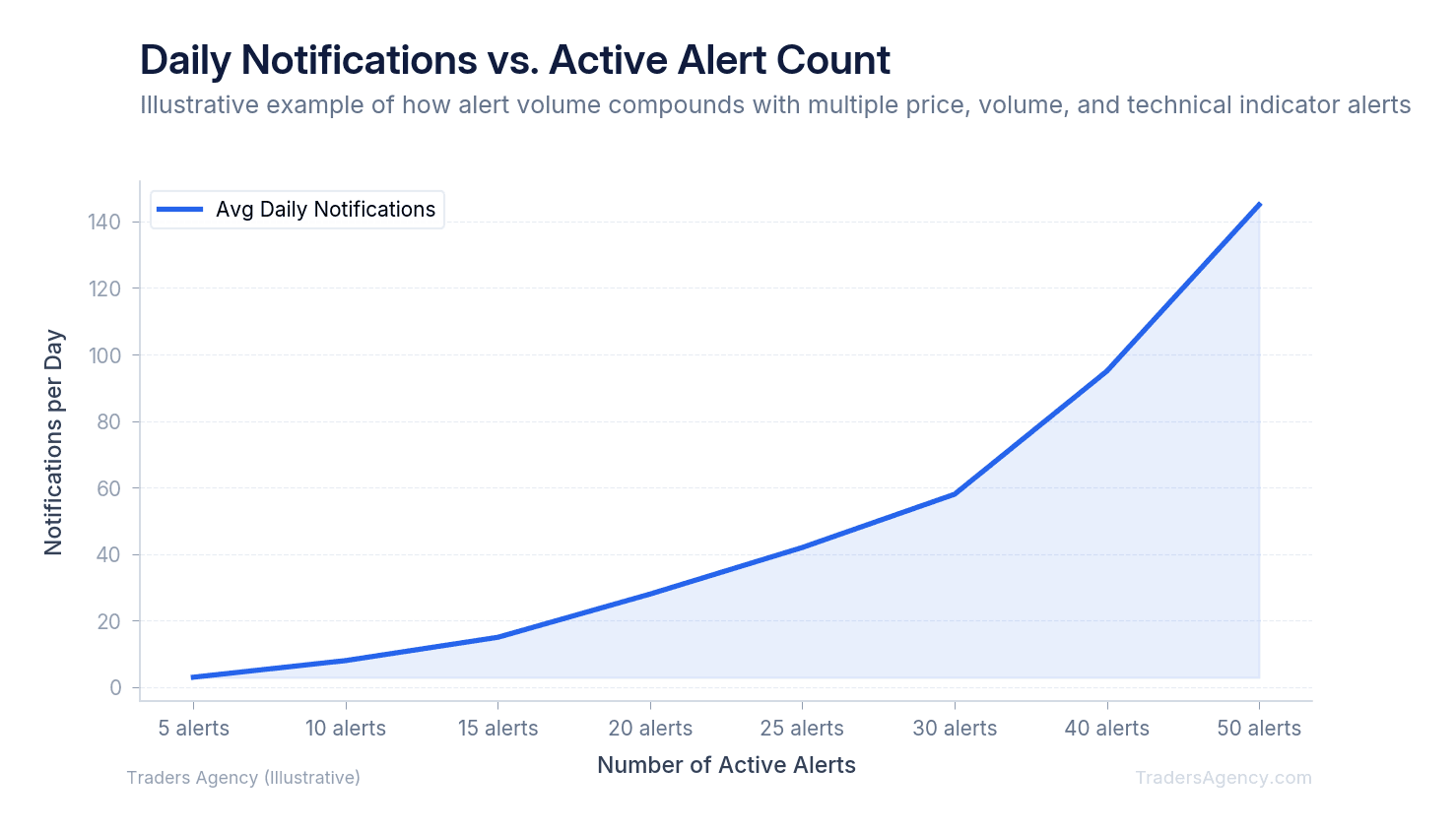
Our team recommends keeping your active alerts under 15 at any given time. You should only create notifications for high-probability setups that you actually intend to trade. If you are just curious about a stock, add it to a watchlist instead of creating an alarm for it.
Weekly Alert Hygiene Routine
You must practice regular digital hygiene. Here is the routine we recommend:
- Every Friday afternoon, review your active alert list.
- Delete any notifications tied to trade ideas that are no longer valid.
- Check for stale alerts: If a stock already broke out and missed your entry zone by $5.00, delete the old support alert so it does not trigger randomly three months from now.
- Confirm expiration dates on all remaining alerts to make sure they align with your current trading plan.
Watch Out: An alert is not an automatic order to buy or sell. It is simply a tap on the shoulder telling you to look at the chart. Always apply your standard risk management rules before entering any trade. Verify your position sizing, ensure your stop loss is clearly defined, and confirm that your maximum risk per trade does not exceed 2% of your account equity on a single idea.
When you treat alerts as a structured part of your trading workflow rather than a set-it-and-forget-it feature, they become one of the most powerful tools in your toolkit. Our education team publishes new strategy guides and market analysis every week to help you build these habits into a consistent, repeatable process.
Want expert trading insights delivered daily?
Join thousands of traders who rely on Traders Agency for market analysis and trade ideas.
Join Traders AgencyKey Takeaways
- Price and volume alerts are automated notifications triggered when an asset hits a specific price level or trading activity threshold, eliminating the need to watch charts continuously.
- TradingView supports custom volume alerts that can be configured directly from the chart, making it one of the most accessible platforms for beginners setting up their first alerts.
- Technical indicator alerts let you define specific conditions, such as an RSI crossing a level or a moving average crossover, so your platform flags the setup before you miss the entry.
- Risk management rules still apply after an alert fires: verify position sizing, confirm your stop loss, and keep maximum risk per trade at or below 2% of account equity.
- Treating alerts as a structured part of your trading workflow, rather than a passive feature, is what separates traders who execute their plan consistently from those who react emotionally.
DISCLAIMER: Traders Agency does not offer financial advice. The information provided is for educational purposes only and should not be considered financial advice. Traders Agency is not responsible for any financial losses or consequences resulting from the use of the information provided. Trading carries inherent risks and may not be suitable for all individuals. You are advised to conduct your own research and seek personalized advice before making any investment decisions, recognizing the potential risks and rewards involved.
See more from Traders Agency on Google
Make us a preferred source and our market analysis will appear more prominently in your Google Search, Top Stories, and AI results.
Add to Preferred Sources