
Robinhood options trading allows retail investors to buy and sell option contracts without paying per-contract commission fees. You've probably seen screenshots of massive trading gains (or devastating losses) from this app floating around online. Options can be highly profitable, but they come with strict timelines and significant risk. In this guide, we'll walk you through the exact mechanics of using the platform, from getting your account approved to reading pricing data to executing your very first trade safely. By the end, you'll understand the specific workflows required to buy and sell contracts right from your phone. We always prefer to start our members with a clear understanding of the rules before risking real capital.
What Are Robinhood's Options Approval Levels?
Bottom Line: Robinhood makes options accessible and commission-free, but the simplified interface strips away the risk management tools that more advanced platforms provide. Before placing your first contract, you need to understand your approval level, know how to read the options chain, and have a defined maximum loss in mind. The platform will not manage your risk for you.
Robinhood's options approval levels dictate which types of options strategies you're allowed to execute in your account. The platform uses four distinct tiers, ranging from Level 0 to Level 3. Your assigned level depends on your stated investment experience, risk tolerance, and account balance.
Industry regulations from FINRA and the SEC require all brokers to assess your suitability before granting access to derivative products. Robinhood handles this through a brief financial questionnaire, and your answers determine your placement in their tier system.
Here's how the platform categorizes your trading permissions:
- Level 0: No options trading permissions. You can only buy and sell standard shares of stock.
- Level 1: Basic, low-risk strategies. This includes writing covered calls and selling cash-secured puts.
- Level 2: Long options purchases. You can buy single-leg call options and put options to speculate on price direction.
- Level 3: Advanced, multi-leg strategies. This unlocks complex trades like credit spreads, iron condors, and straddles.
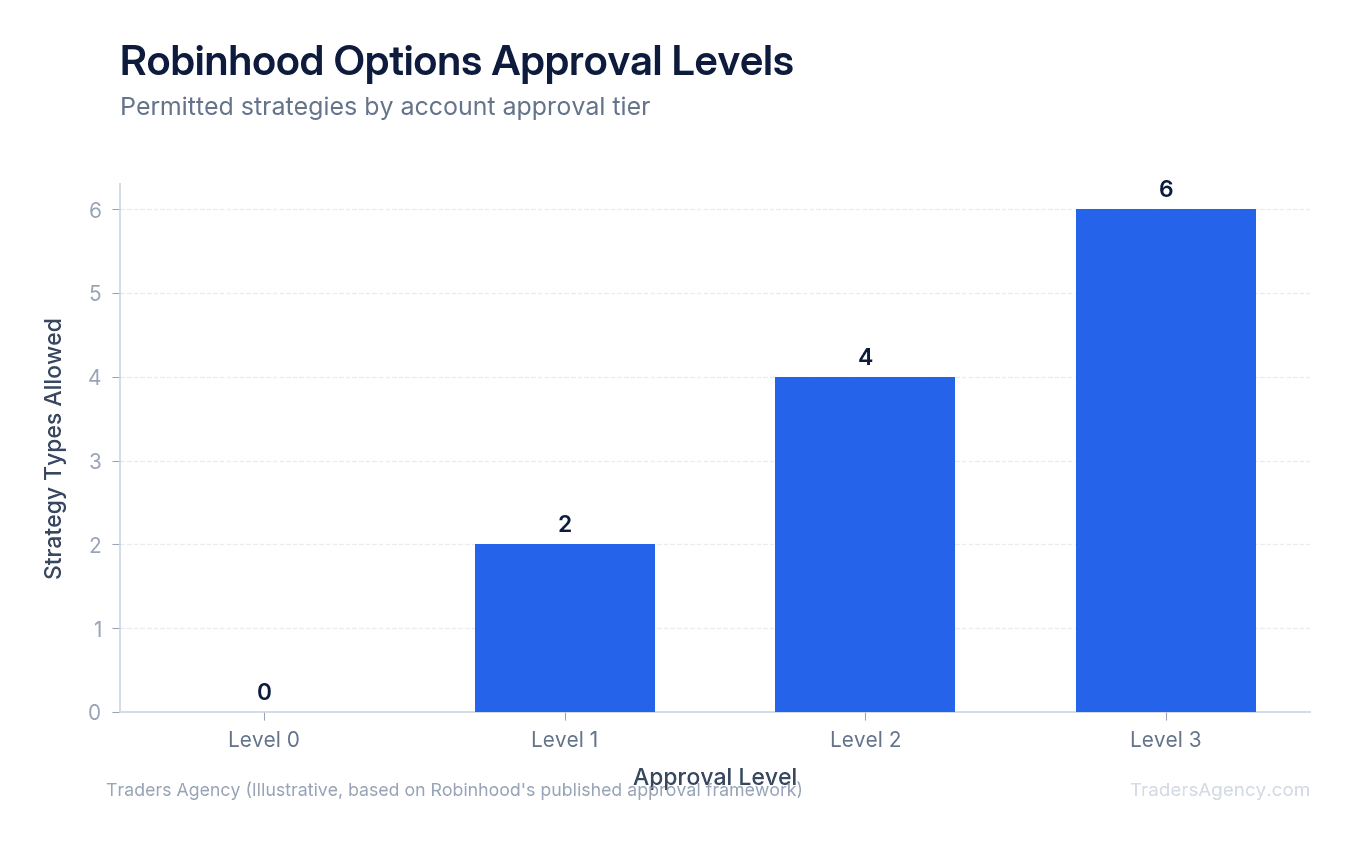
Key Concept: We teach our members to aim for Level 2 approval when starting out. This level lets you buy single contracts with a strictly defined maximum loss. You cannot lose more than the initial amount you pay for the contract, which makes it the safest way to begin learning options.
How Do You Enable Options Trading on Robinhood?
Before you can even view option prices, you need to activate the feature in your account settings. The application process only takes a few minutes, and Robinhood usually reviews and approves requests instantly.
Follow these exact steps to turn the feature on:
- Open the Robinhood app and tap the Account icon in the bottom right corner of your screen.
- Tap the Menu icon (three horizontal lines) in the top right corner.
- Select the Investing tab from the settings menu.
- Scroll to Options Trading and tap the button to enable it.
- Answer the financial profile questions regarding your income, net worth, and trading experience.
Watch Out: Be honest when filling out your risk tolerance and investment goals. If you state that your primary goal is "capital preservation," the broker will likely deny your application. Options are inherently speculative instruments, and the platform needs to see that you understand this.
Once approved, you'll receive a notification confirming your specific tier level. You can request an upgrade to a higher level later as you gain more experience and build your account history.
How Do You Read an Options Chain in the Robinhood App?
The options chain is a list of available option contracts for a specific stock, organized by expiration date and strike price. It displays the current premium prices for both call options and put options side by side.
When you search for a stock ticker and tap "Trade Options," the app presents you with a scrolling list. The dates running horizontally across the top of your screen are the expiration dates. Every options contract has a strict deadline, and these dates tell you exactly when the contract expires.
The dollar amounts listed vertically down the middle of your screen are the strike prices. The strike price is the price at which you have the right to buy (for calls) or sell (for puts) the underlying stock. The stock must move beyond the strike price by more than the premium you paid before the trade becomes profitable.
Robinhood simplifies this interface by showing a "break-even" percentage next to each strike. We advise our members to look past these simplified metrics. Focus entirely on the actual cost of the contract, which is called the premium. The premium is what you pay upfront, and it represents your total risk on the trade.
Want expert trading insights delivered daily?
Join thousands of traders who rely on Traders Agency for market analysis and trade ideas.
Join Traders AgencyHow to Place a Single-Leg Options Trade Step by Step
We'll walk through a concrete example of placing a trade. Assume Apple (AAPL) is currently trading at $170 per share. You expect the price to rise over the next month, so you decide to buy a call option.
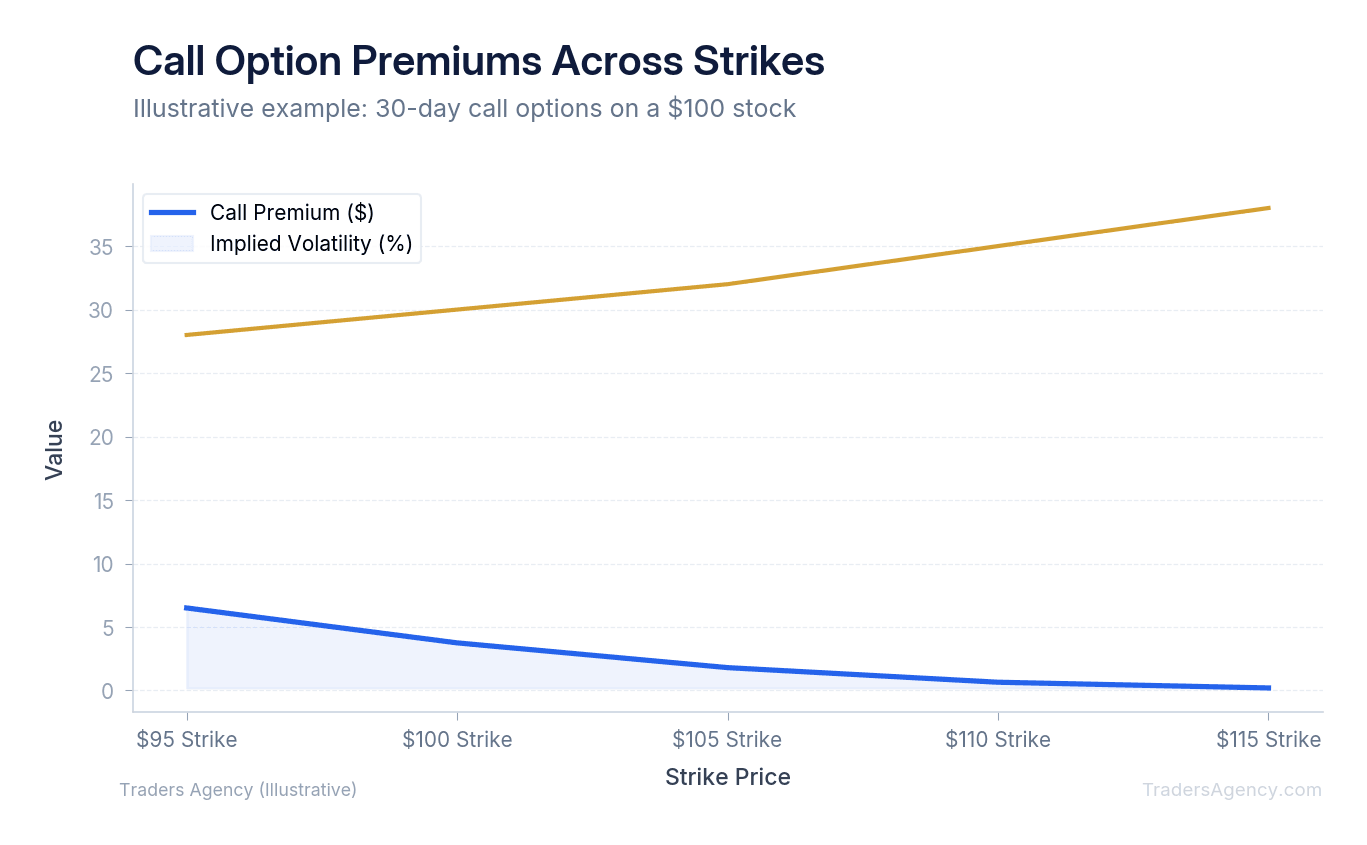
Here's exactly how you execute this trade from start to finish:
- Select Your Expiration Date: Tap the date menu at the top of the screen and select an expiration date three weeks away. Options lose value rapidly as their deadline approaches. Giving yourself extra time is a basic risk management habit we stress to all beginners.
- Choose Your Strike Price: Scroll through the chain and select the $175 strike price. By purchasing this call option, you secure the right to buy AAPL shares at $175. The stock must rise above this level before your expiration date for the trade to generate a significant profit.
- Review the Premium Cost: The app shows the premium for this contract is $2.50. Every standard options contract represents exactly 100 shares of the underlying stock. Multiply the premium by 100 to find your actual cost: $250 total.
- Understand Your Outcomes: Before tapping buy, you need to know your best and worst case scenarios. Review the table below for a clear breakdown.
- Submit the Order: Tap the contract, select "Buy," and enter "1" for the number of contracts. Review the total cost on the final screen. Once you swipe up to submit, the broker routes your order to the market for execution.
| Scenario | AAPL Price at Expiration | Profit / Loss |
|---|---|---|
| Worst Case | Below $175 | -$250 (contract expires worthless) |
| Breakeven | $177.50 | $0 |
| Best Case | $185 | +$750 (sell contract back for profit) |
Key Concept: You never have to actually buy the shares. If your call option increases in value, you can sell the contract itself back to the market and pocket the difference. This is how most retail options traders take profits on Robinhood.
How to Interpret the Greeks on Robinhood
You can view the Greeks on Robinhood by tapping the bid-ask spread on any specific option contract to reveal its detailed metrics. These metrics include Delta, Gamma, Theta, and Vega, and they measure how the option's price will react to changes in the stock price and the passage of time.
Robinhood hides these numbers by default to keep the interface clean. You have to actively tap into a specific contract to view them. Understanding these numbers is what separates informed traders from those who are simply guessing.
Delta tells you exactly how much the option premium should increase for every $1 increase in the underlying stock. If your AAPL call has a Delta of 0.40, the contract value will increase by approximately $0.40 (or $40 total) if AAPL goes up by one dollar.
Theta measures the negative impact of time decay. If your contract has a Theta of -0.05, the option loses $5 of value every single day the stock price stays flat. Ignoring time decay is one of the most common traps for new options traders, and it's the reason so many beginners watch profitable positions slowly bleed to zero.
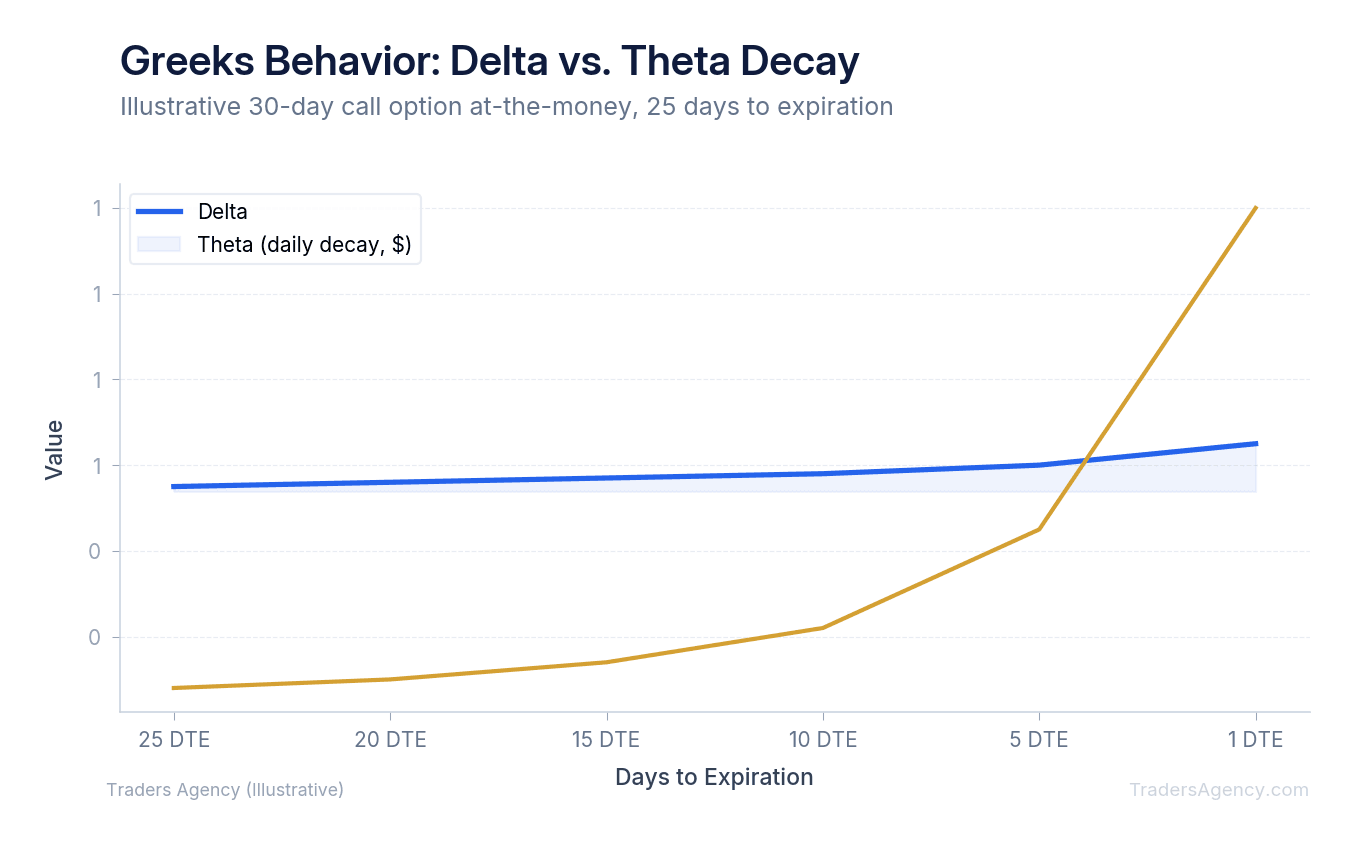
Watch Out: We always check Theta before buying any contract. If the daily time decay is too high, the stock has to make a massive move just for you to break even. As a rule, avoid contracts where Theta will eat more than 5% of your premium per day.
Should You Use Limit Orders or Market Orders for Options on Robinhood?
When you're ready to buy or sell an option, the app asks you to choose an order type. You'll generally choose between a market order and a limit order. This choice directly impacts your profitability.
A market order tells the broker to execute your trade immediately at the best available price. A limit order tells the broker to execute your trade only at your specific requested price or better. Options often have wide gaps between what buyers want to pay and what sellers want to receive.
This gap is called the bid-ask spread. If the bid is $2.00 and the ask is $2.30, a market order will likely fill at the higher $2.30 price. You instantly lose $30 to the spread the moment you enter the trade.
| Order Type | Execution | Risk |
|---|---|---|
| Market Order | Fills immediately at best available price | You may overpay due to the bid-ask spread |
| Limit Order | Fills only at your specified price or better | Trade may not execute if price isn't reached |
Our team recommends always using limit orders for options. You can set your limit price right in the middle of the spread at $2.15. If the market never drops to your price, the trade simply doesn't execute, and you keep your capital safe. That's a much better outcome than overpaying on every single entry.
How Does Robinhood Compare to Full-Featured Options Platforms?
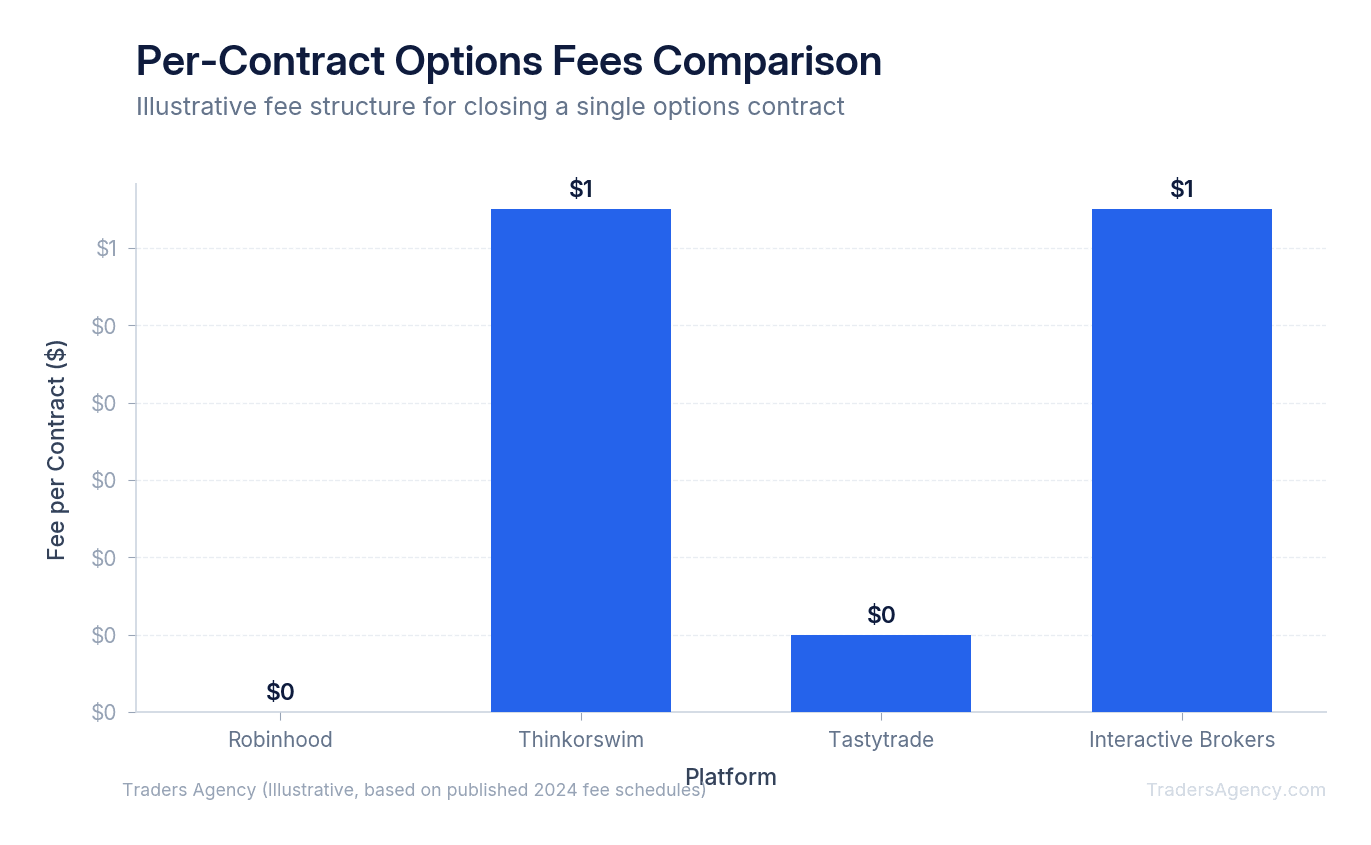
Robinhood stands out by offering zero-commission trading and a highly simplified mobile interface, while competitors provide advanced charting and complex order routing. Platforms like Thinkorswim or Tastytrade charge per-contract fees but offer superior analytical tools for active traders.
The biggest advantage of robinhood options trading is the fee structure. Traditional brokers charge between $0.50 and $0.65 for every single contract you buy or sell. When you trade frequently or scale up to multiple contracts, these fees eat directly into your profits.
However, Robinhood has real limitations when it comes to risk management. The platform lacks conditional order types that trigger based on the underlying stock's price. You can set stop orders on the option contract itself, but you cannot automatically exit a position when the stock hits a specific level. The charting tools are also incredibly basic: you can't overlay complex technical indicators or draw precise trendlines on your phone screen.
Here's the approach we use with our members: do your technical analysis on a dedicated desktop charting platform first. Once you identify your entry signals, open the Robinhood app solely to execute the trade. This gives you the best of both worlds, professional-grade analysis paired with commission-free execution. For beginners just getting started with robinhood options trading, this workflow helps compensate for the app's limited analytical tools.
You must handle your own risk management manually when using a simplified app. We teach our members to never allocate more than 2% to 5% of their total account balance to a single options trade. If you buy a contract and the underlying stock moves against you, you need the discipline to sell and cut your losses manually. No app is going to do that for you.
Watch Out: Robinhood's simplified interface can make options feel easier than they actually are. The lack of advanced risk tools means you are solely responsible for monitoring your positions and exiting when a trade goes wrong. Always have a plan for your maximum acceptable loss before you enter any trade.
Want expert trading insights delivered daily?
Join thousands of traders who rely on Traders Agency for market analysis and trade ideas.
Join Traders AgencyKey Takeaways
- Robinhood uses four approval tiers (Level 0 through Level 3), and your assigned level is determined by a financial questionnaire covering experience, risk tolerance, and account balance.
- Industry regulations from FINRA and the SEC require all brokers to assess suitability before granting access to options, so Robinhood's tier system is not optional or arbitrary.
- Robinhood charges no per-contract commission fees, which lowers the cost of entry but does not reduce the underlying risk of the contracts themselves.
- The platform's simplified interface removes advanced risk tools, meaning you are solely responsible for monitoring open positions and setting your own exit rules before entering a trade.
- Experienced traders recommend never allocating more than a small percentage of total account balance to a single options trade to limit exposure when a position moves against you.
DISCLAIMER: Traders Agency does not offer financial advice. The information provided is for educational purposes only and should not be considered financial advice. Traders Agency is not responsible for any financial losses or consequences resulting from the use of the information provided. Trading carries inherent risks and may not be suitable for all individuals. You are advised to conduct your own research and seek personalized advice before making any investment decisions, recognizing the potential risks and rewards involved.
See more from Traders Agency on Google
Make us a preferred source and our market analysis will appear more prominently in your Google Search, Top Stories, and AI results.
Add to Preferred Sources